
How to sync signature and signed document to google drive?
Sync to drive
Open your form in Google Forms
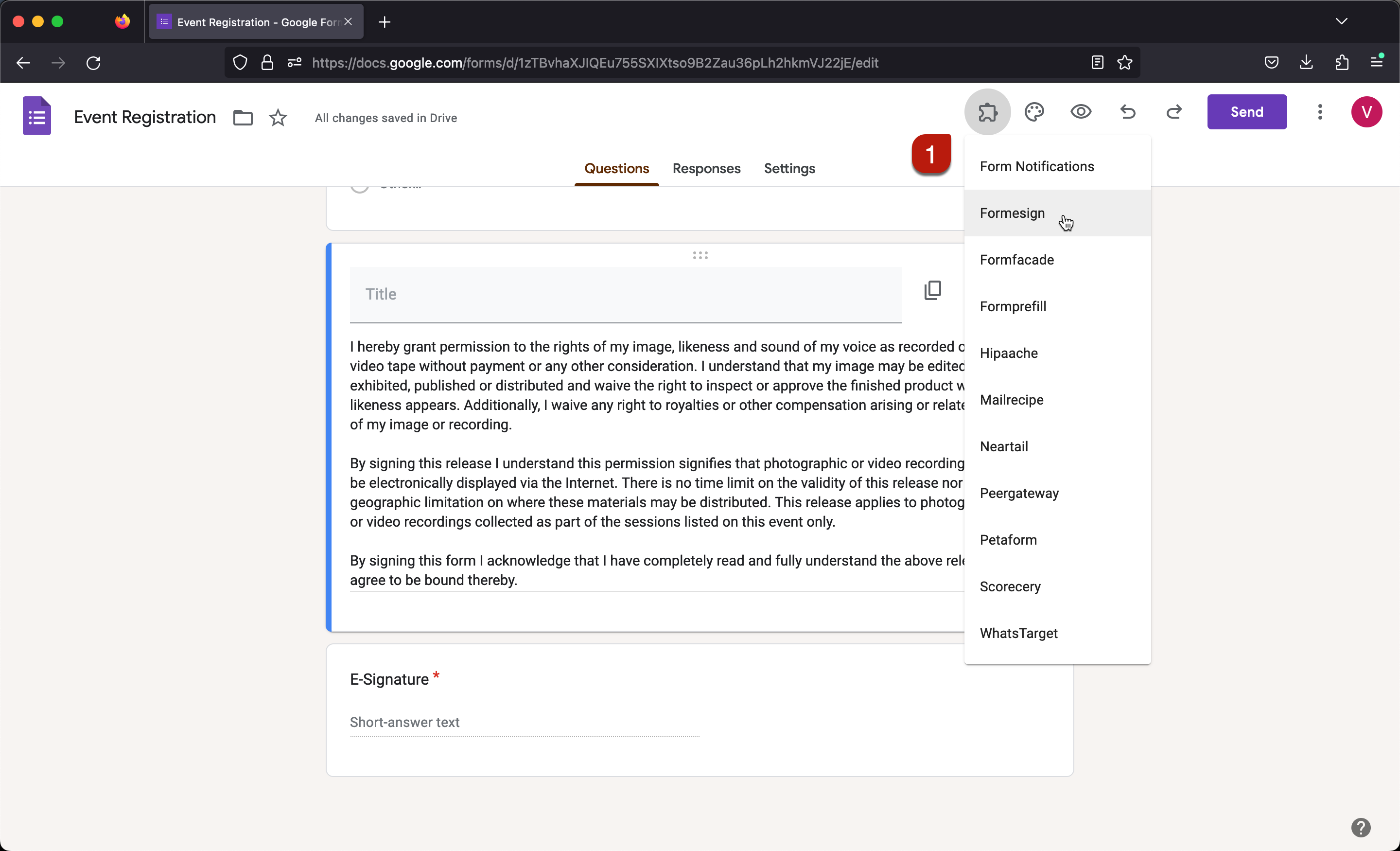
Click on the addon icon
Click Formesign
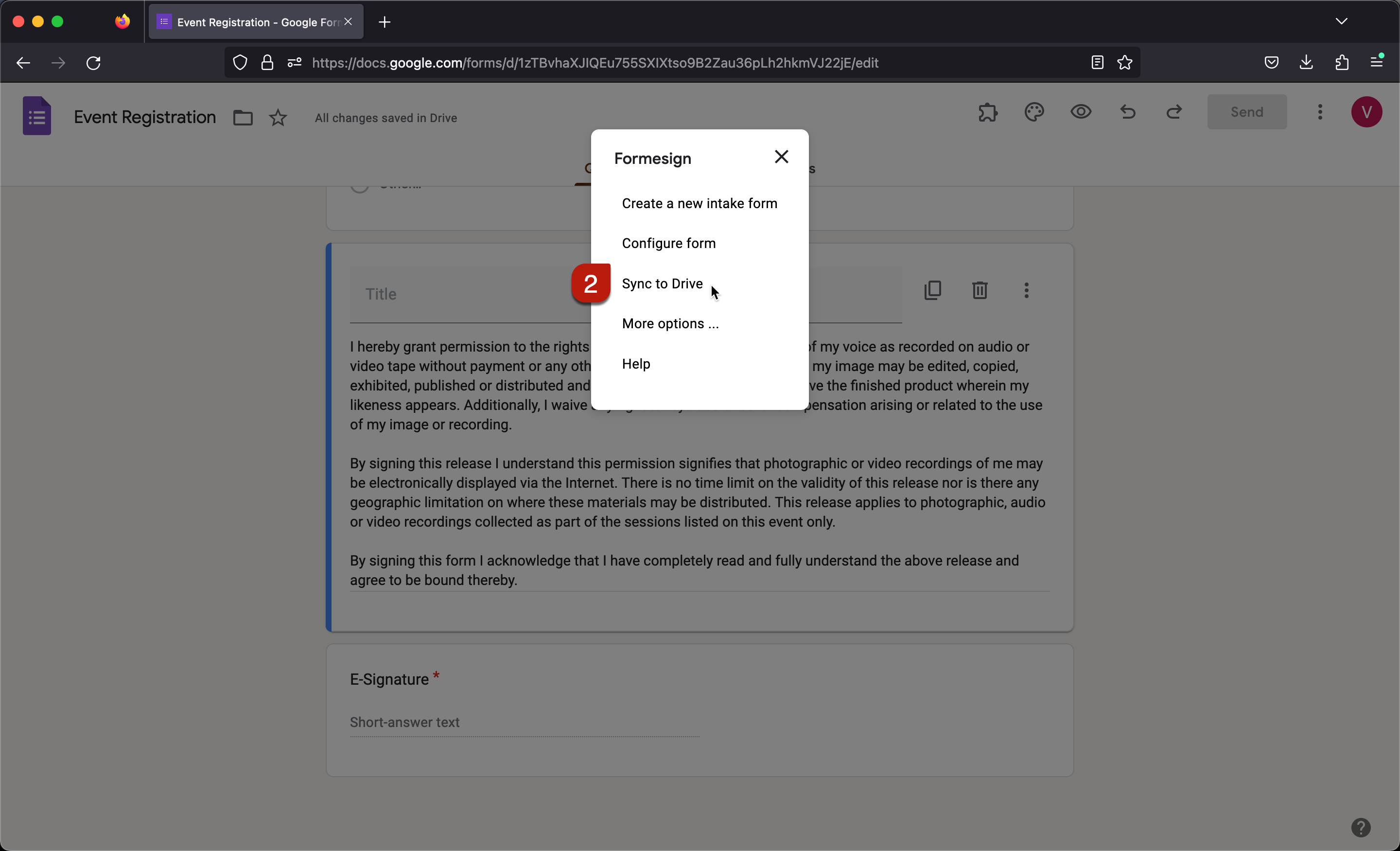
Click Sync to drive
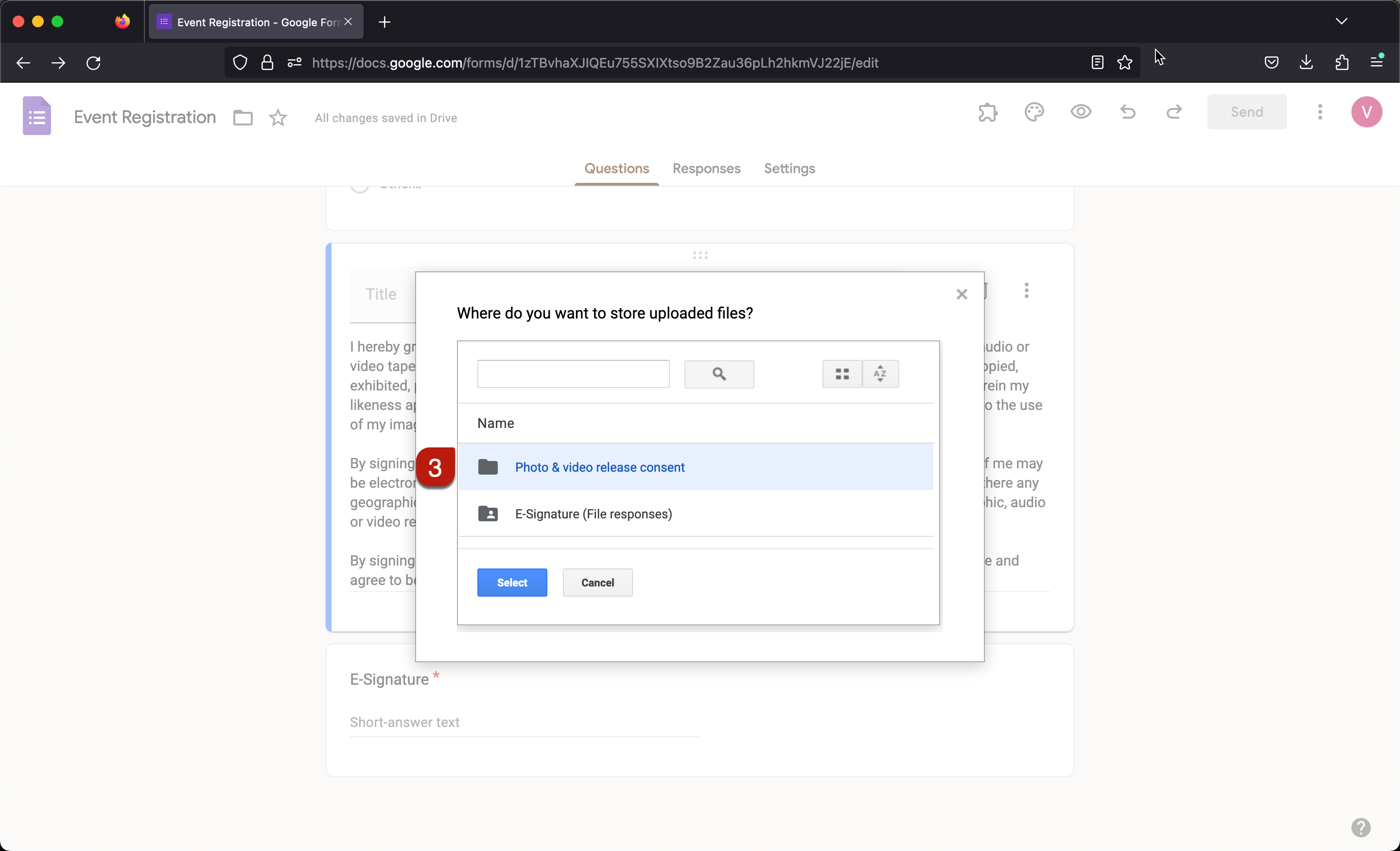
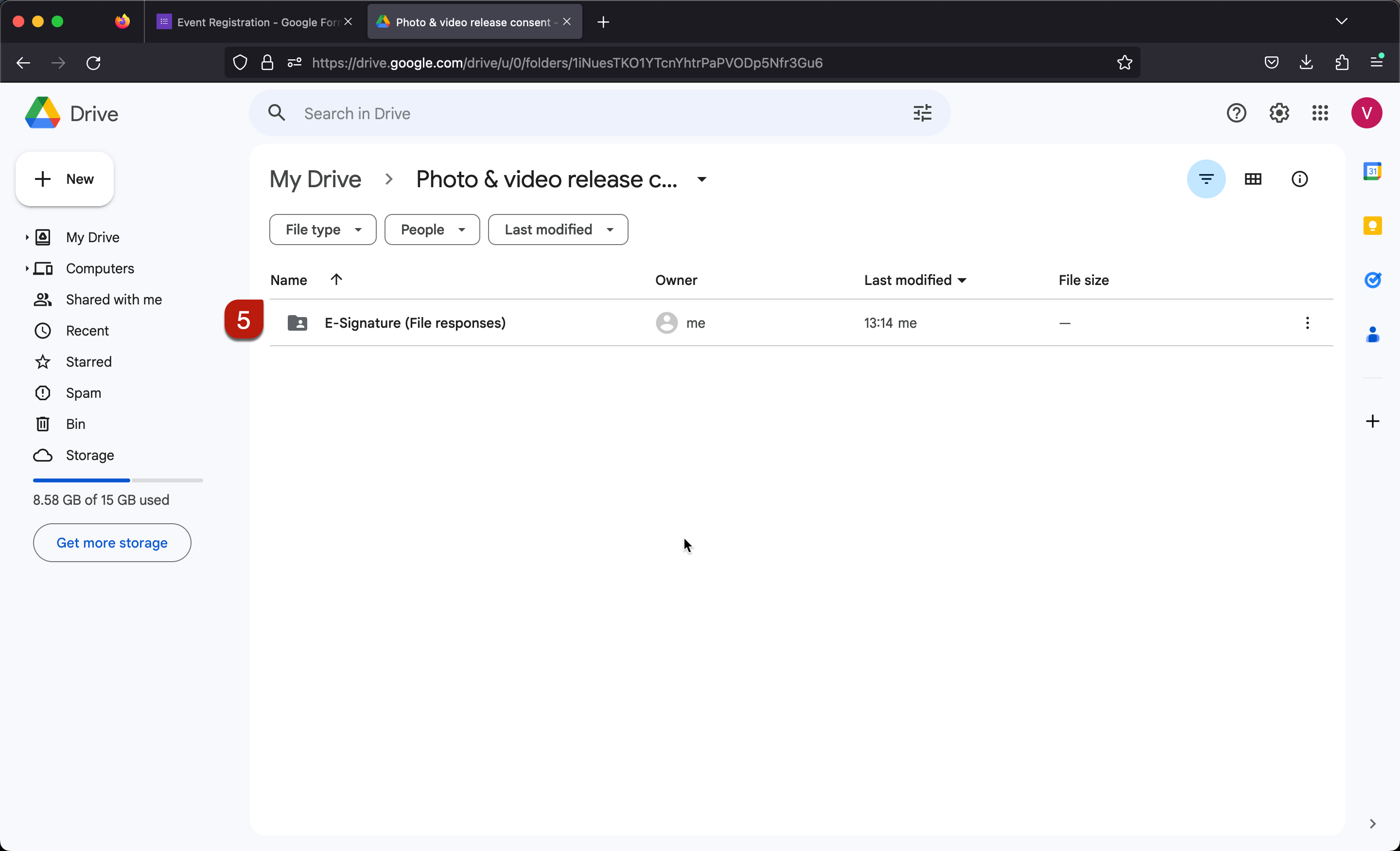
Select the preferred folder and click Select
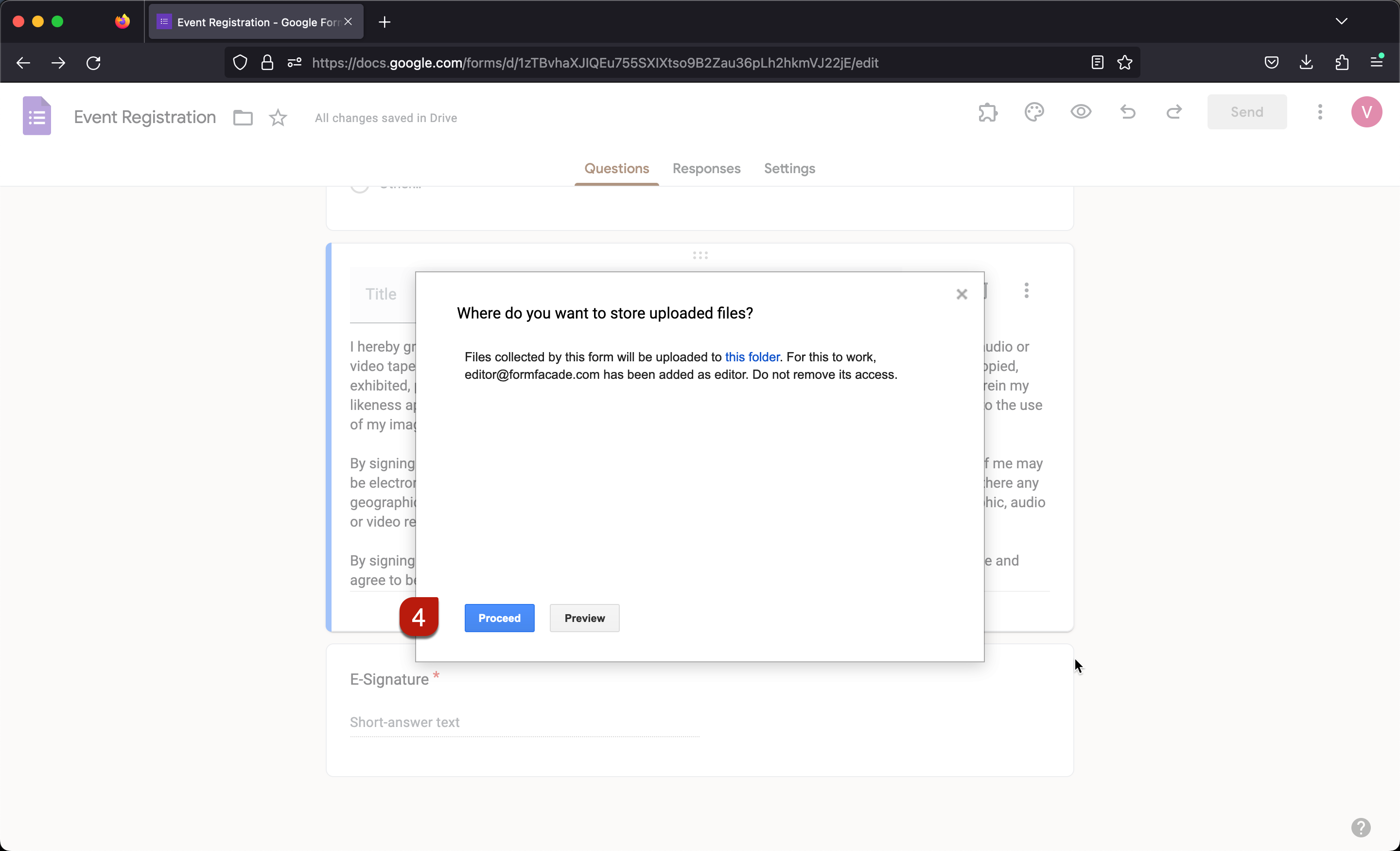
Click Preview to test the form
For detailed instructions, refer to the screenshots below.
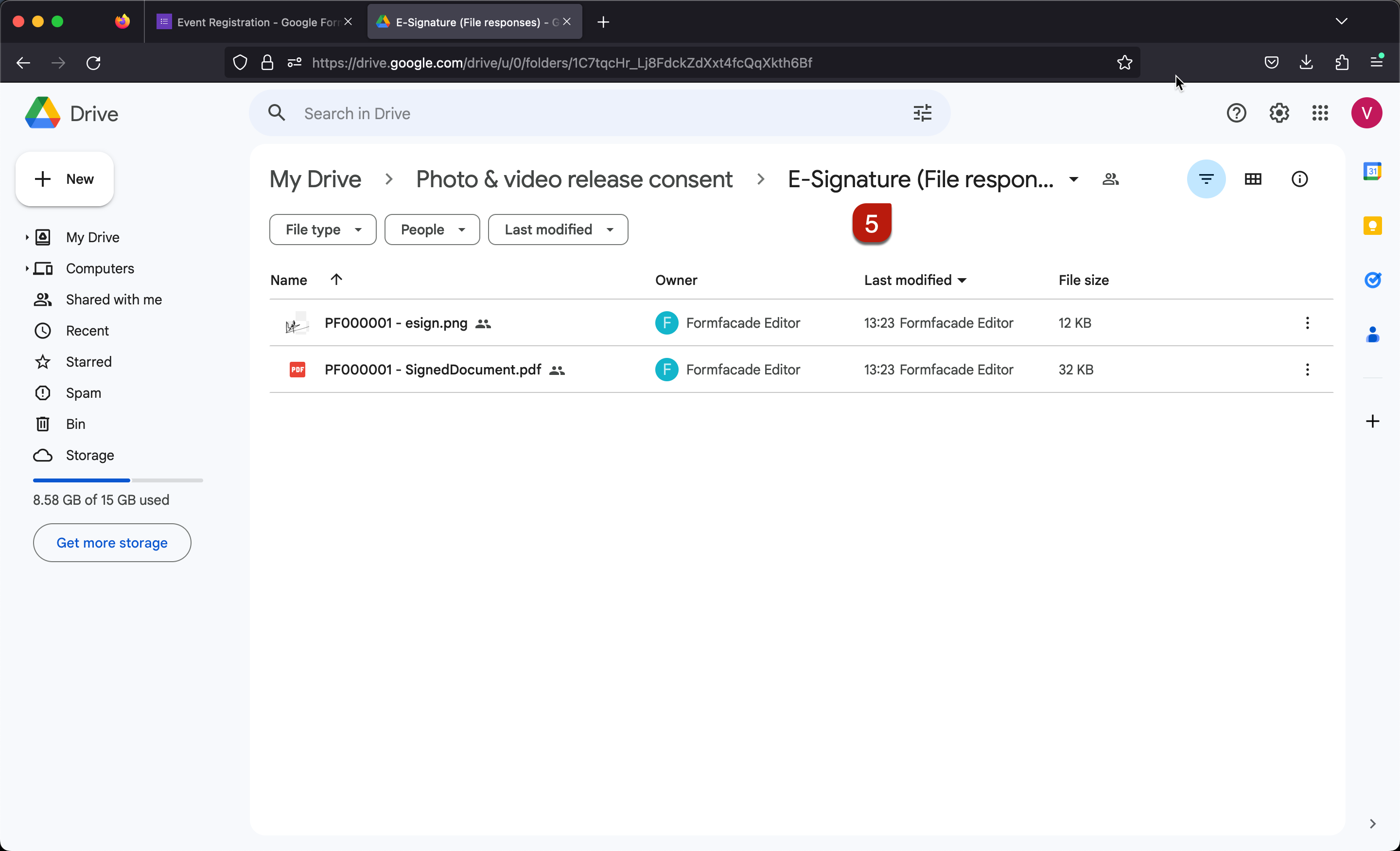
The default file name includes the unique id generated for each response. You can customize your form to include the name or email in the file name.